UNITY Desktop App & Admin Portal
Shipped Oct 2024 – Jan 2025
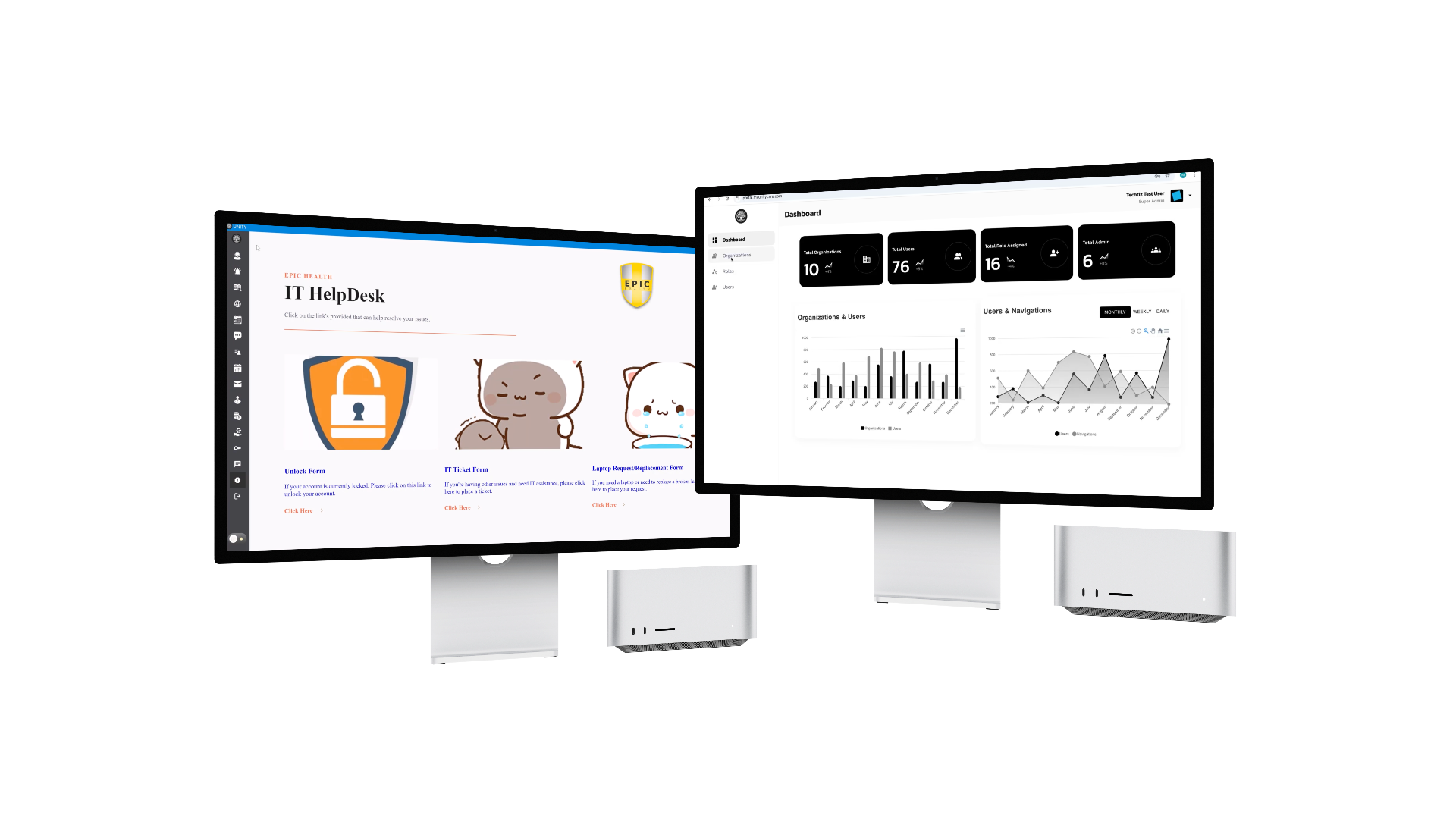
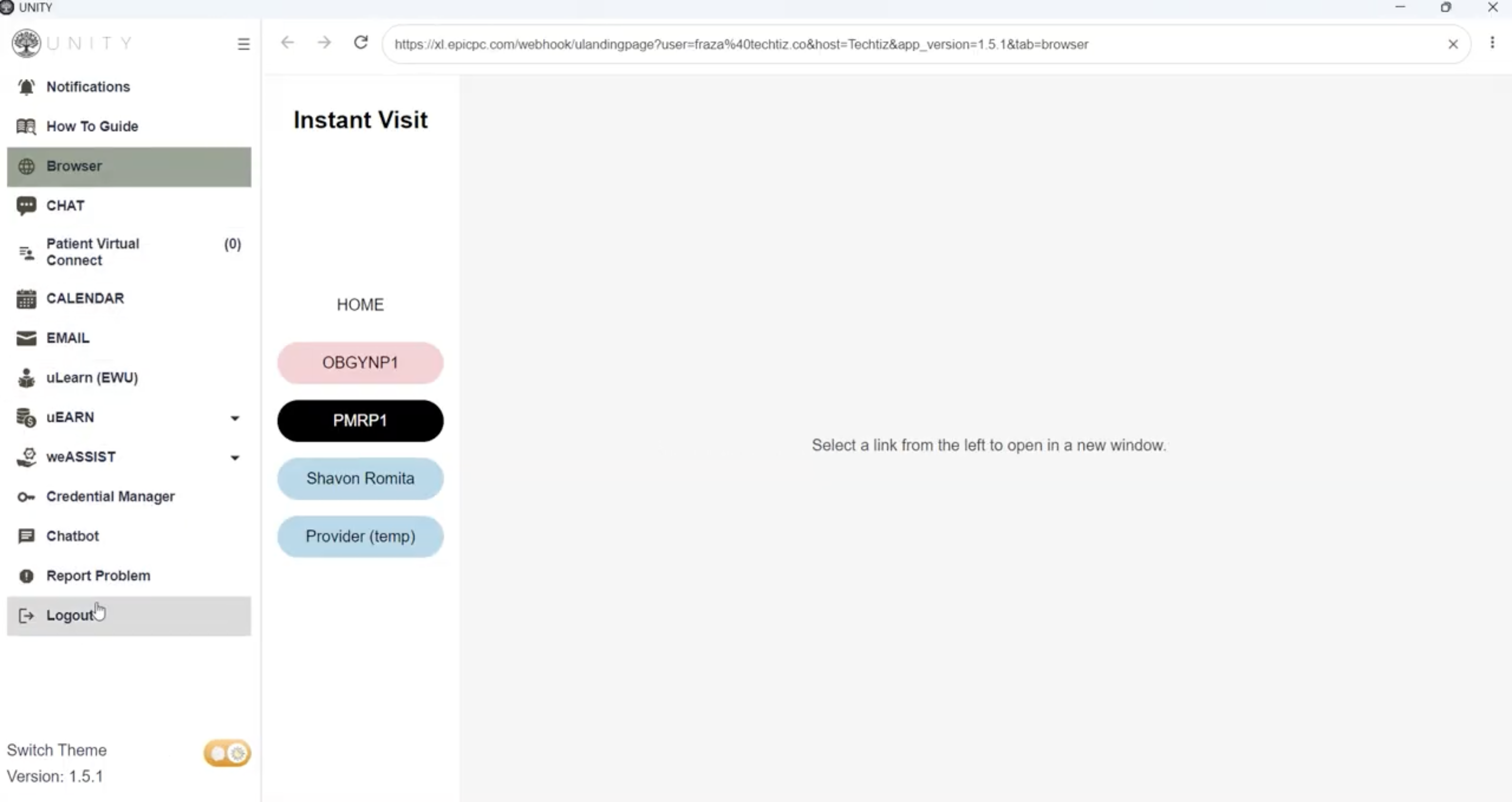
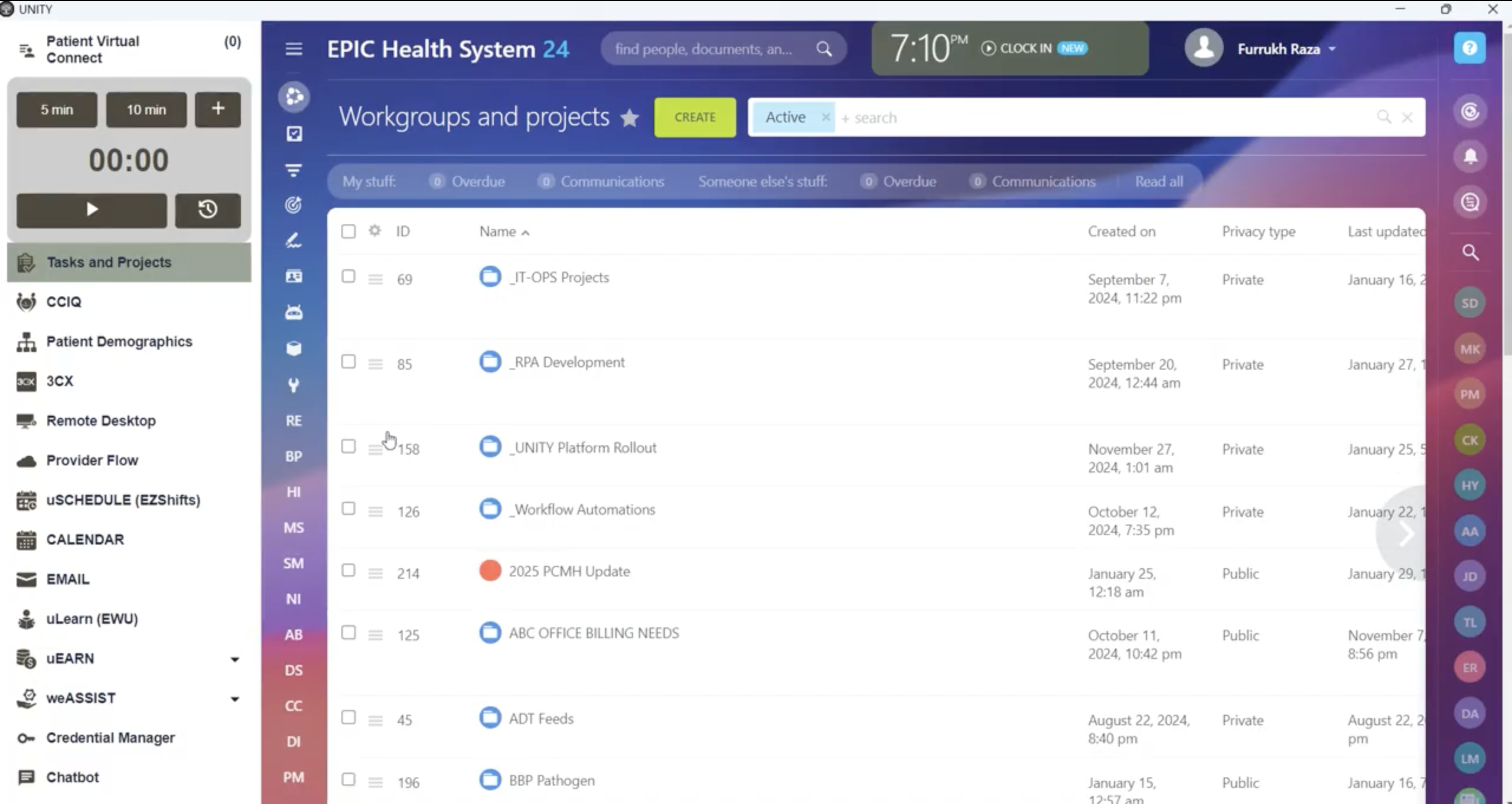
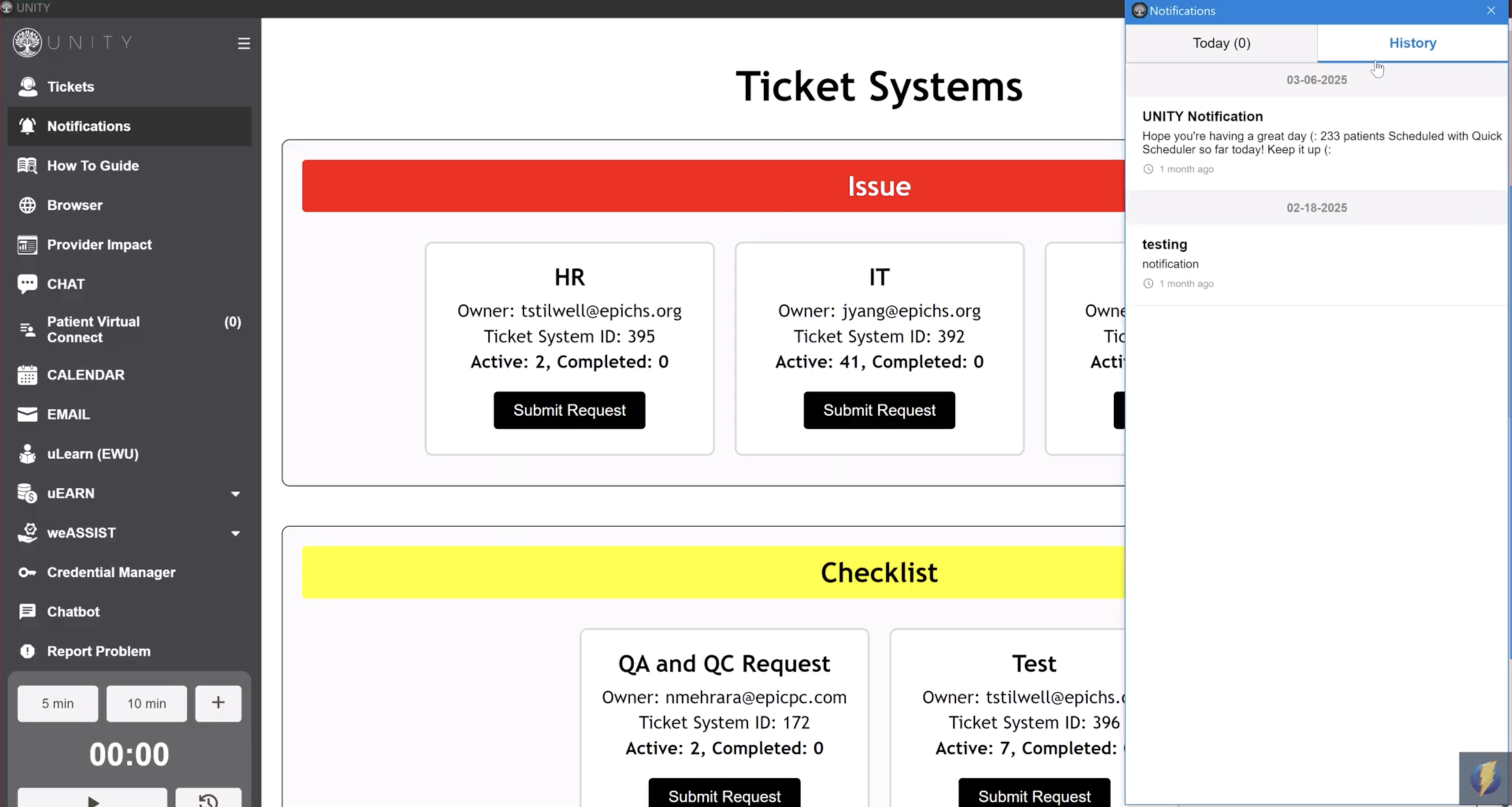
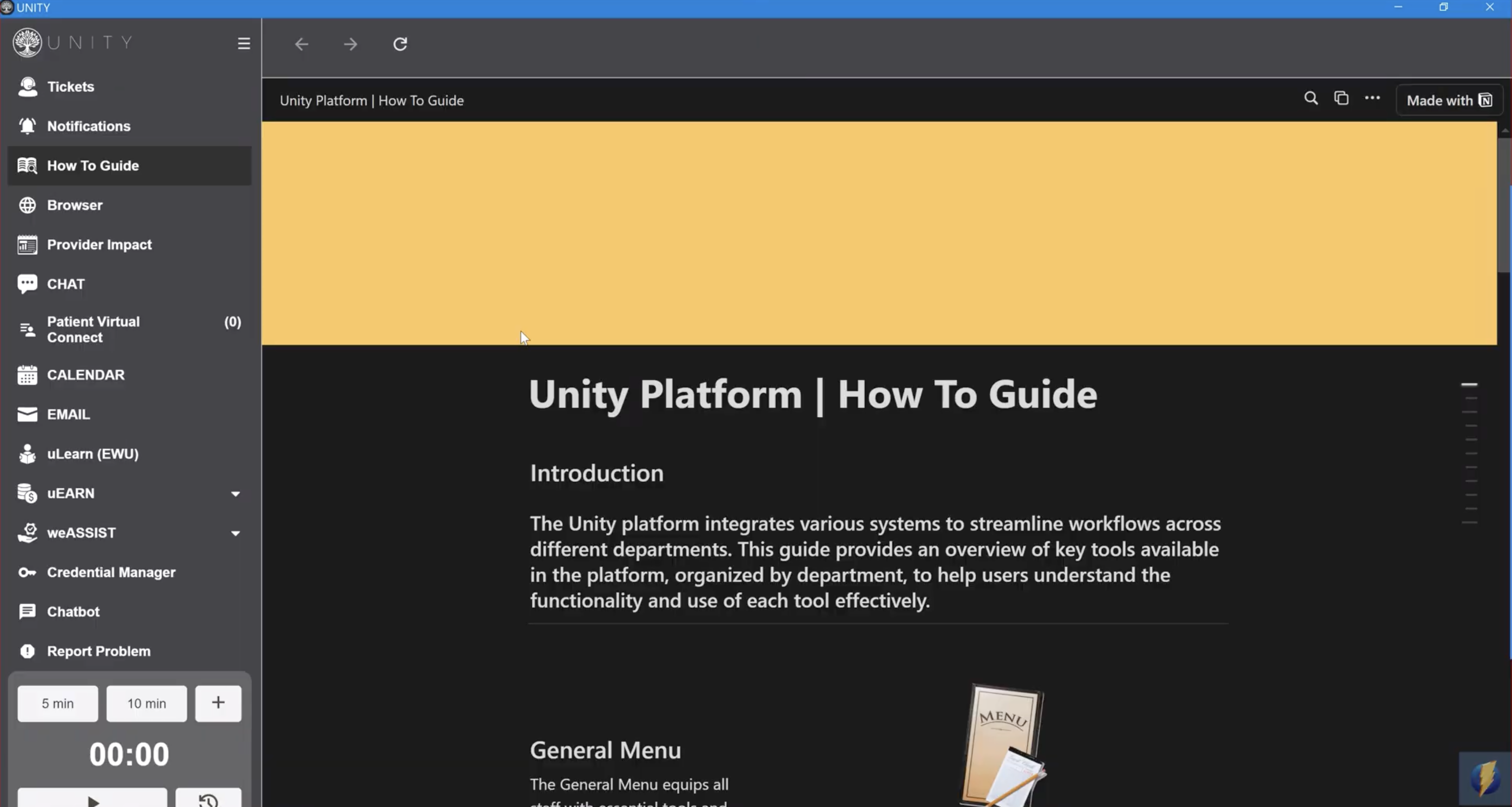
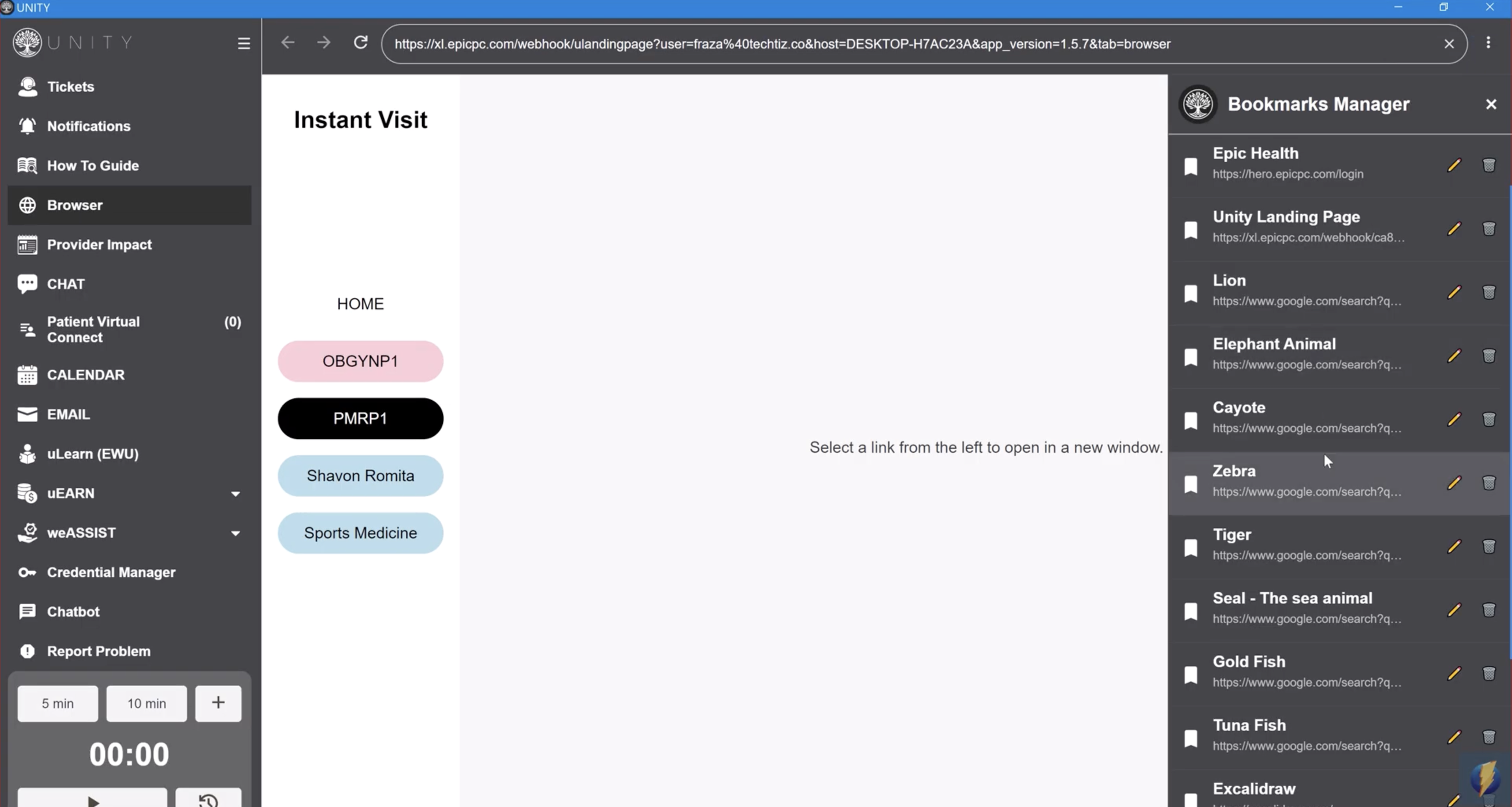
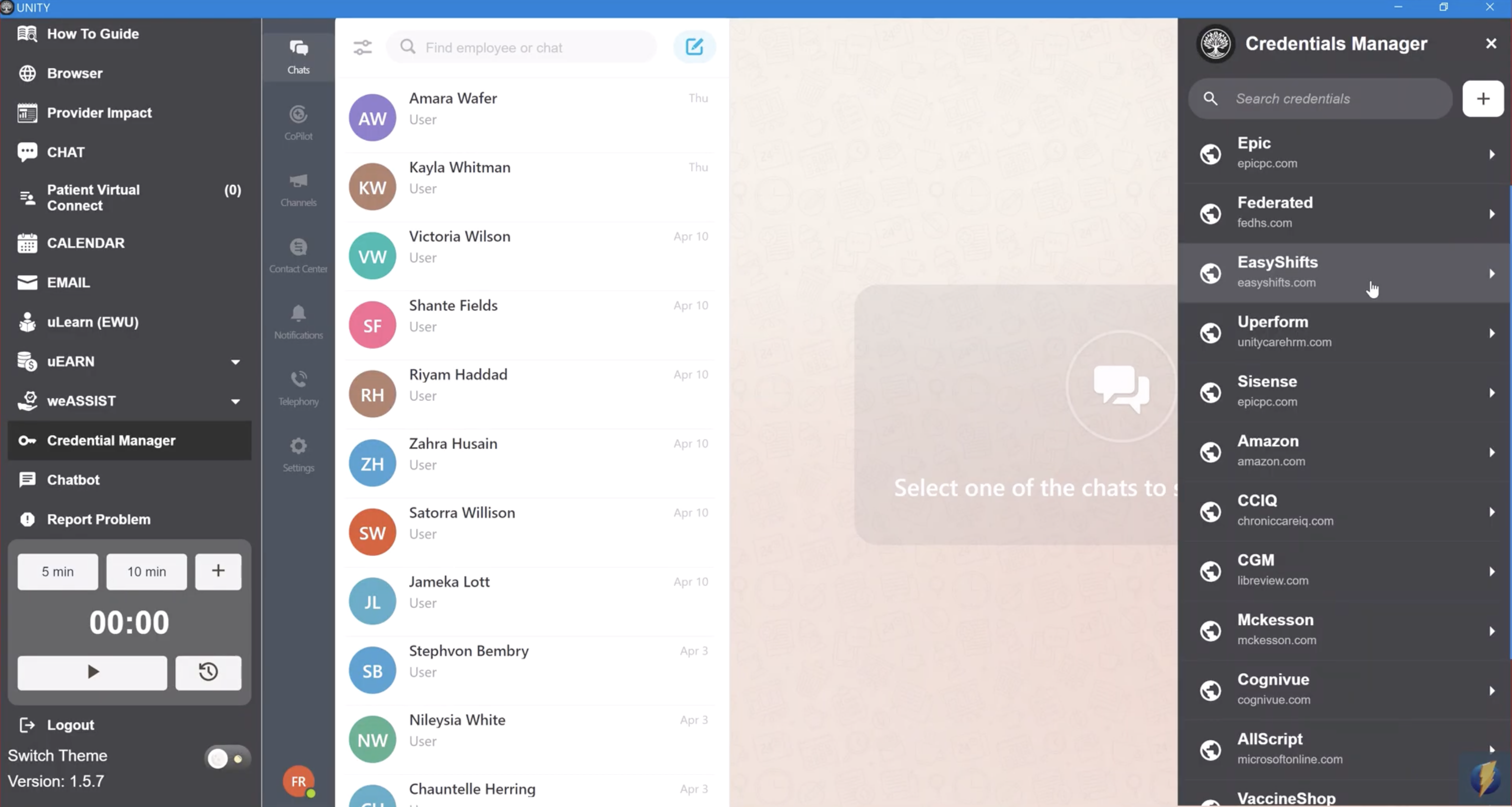
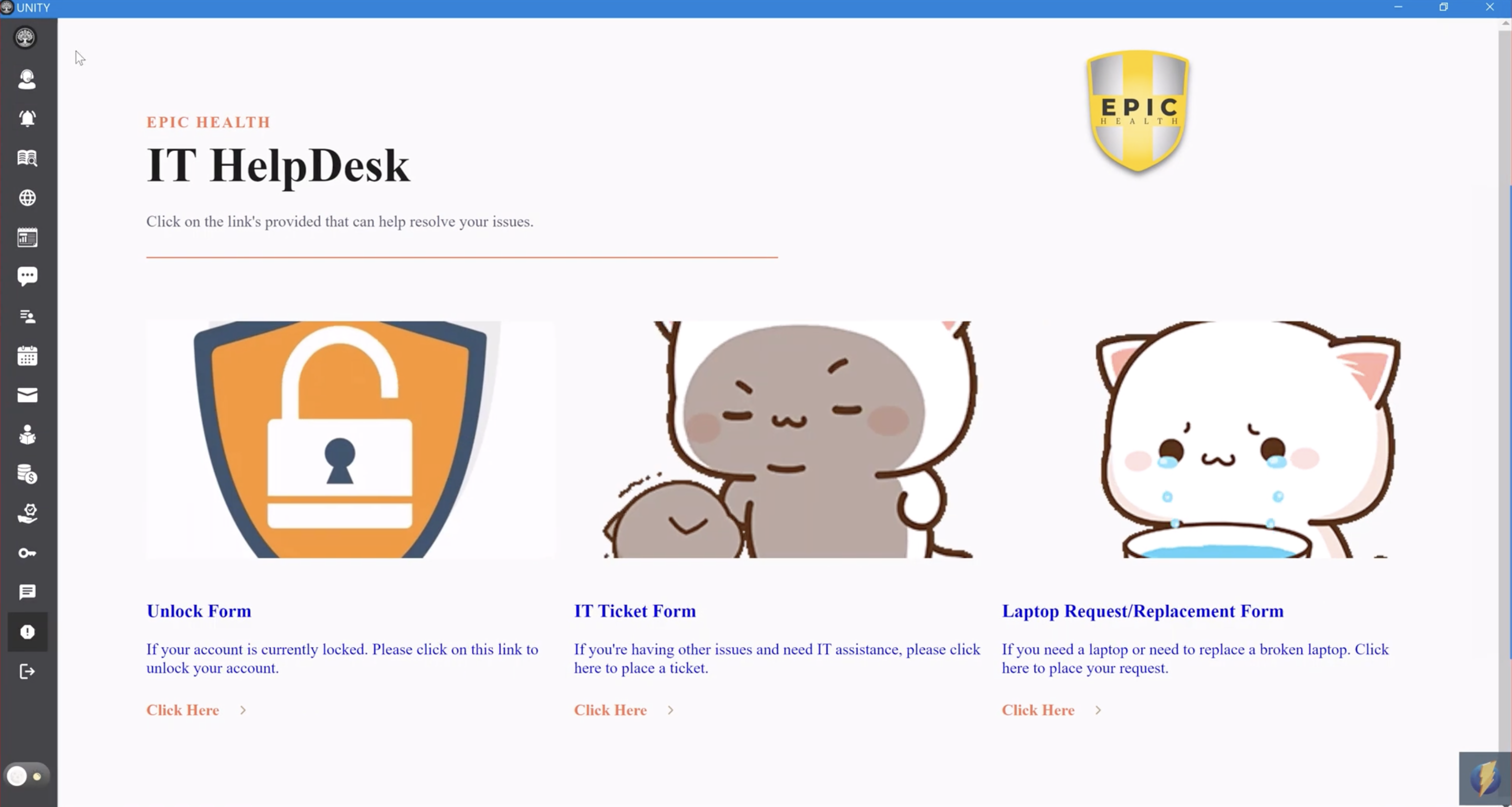
Built for a healthcare organisation, UNITY pairs an Electron + Nest.js desktop app with a Next.js + Nest.js admin portal, replacing what would otherwise be several disconnected tools — browsing, credentials, notifications, tasks and tickets, IT requests, and patient calls — with one unified, role-aware workspace. A collapsible left-hand sidebar, including expandable dropdown groups like Instant Visit, Tasks and Projects, Ticket Systems, Bookmarks Manager, Credentials Manager, IT HelpDesk, and Patient Virtual Connect, is dynamically fetched and rebuilt per user role at login; the main view doubles as an embedded browser with script-injected credential auto-fill that replicates Chrome's own password manager, plus socket-based real-time notifications, background timers/alarms, and a ringing Patient Virtual Connect call flow the user can accept or reject.
Built With
 Electron
  Next.js
  React
React  Node.js
  Nest.js
  TypeScript
  JavaScript
  MUI (Material UI)
  ApexCharts
  Axios
Axios  Prisma
  PostgreSQL
  Socket.IO
  JWT
JWT  Sentry
 Project Overview
Built for a healthcare organisation, UNITY pairs an Electron + Nest.js desktop app with a Next.js + Nest.js admin portal, replacing what would otherwise be several disconnected tools — browsing, credentials, notifications, tasks and tickets, IT requests, and patient calls — with one unified, role-aware workspace. A collapsible left-hand sidebar, including expandable dropdown groups like Instant Visit, Tasks and Projects, Ticket Systems, Bookmarks Manager, Credentials Manager, IT HelpDesk, and Patient Virtual Connect, is dynamically fetched and rebuilt per user role at login; the main view doubles as an embedded browser with script-injected credential auto-fill that replicates Chrome's own password manager, plus socket-based real-time notifications, background timers/alarms, and a ringing Patient Virtual Connect call flow the user can accept or reject.
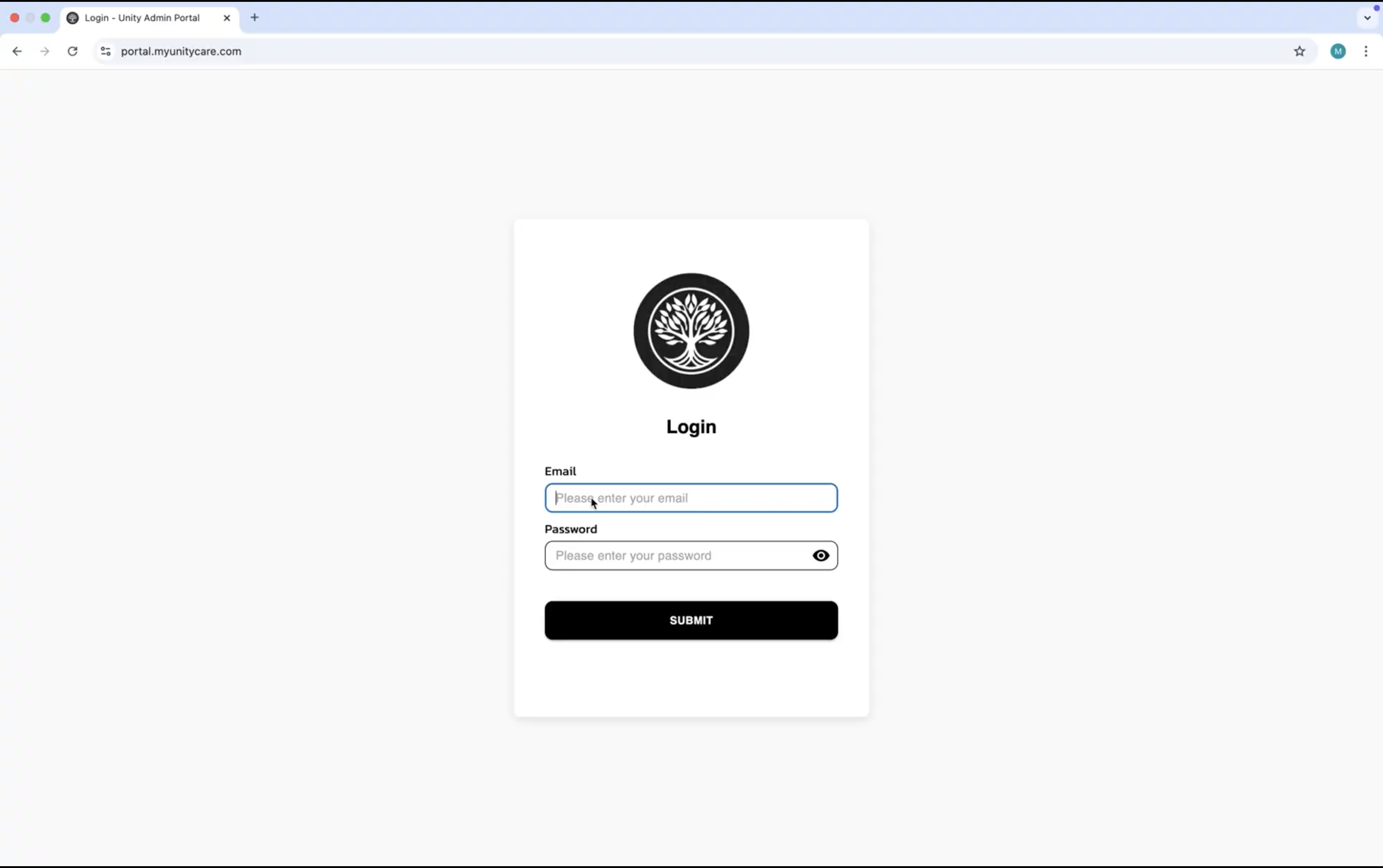
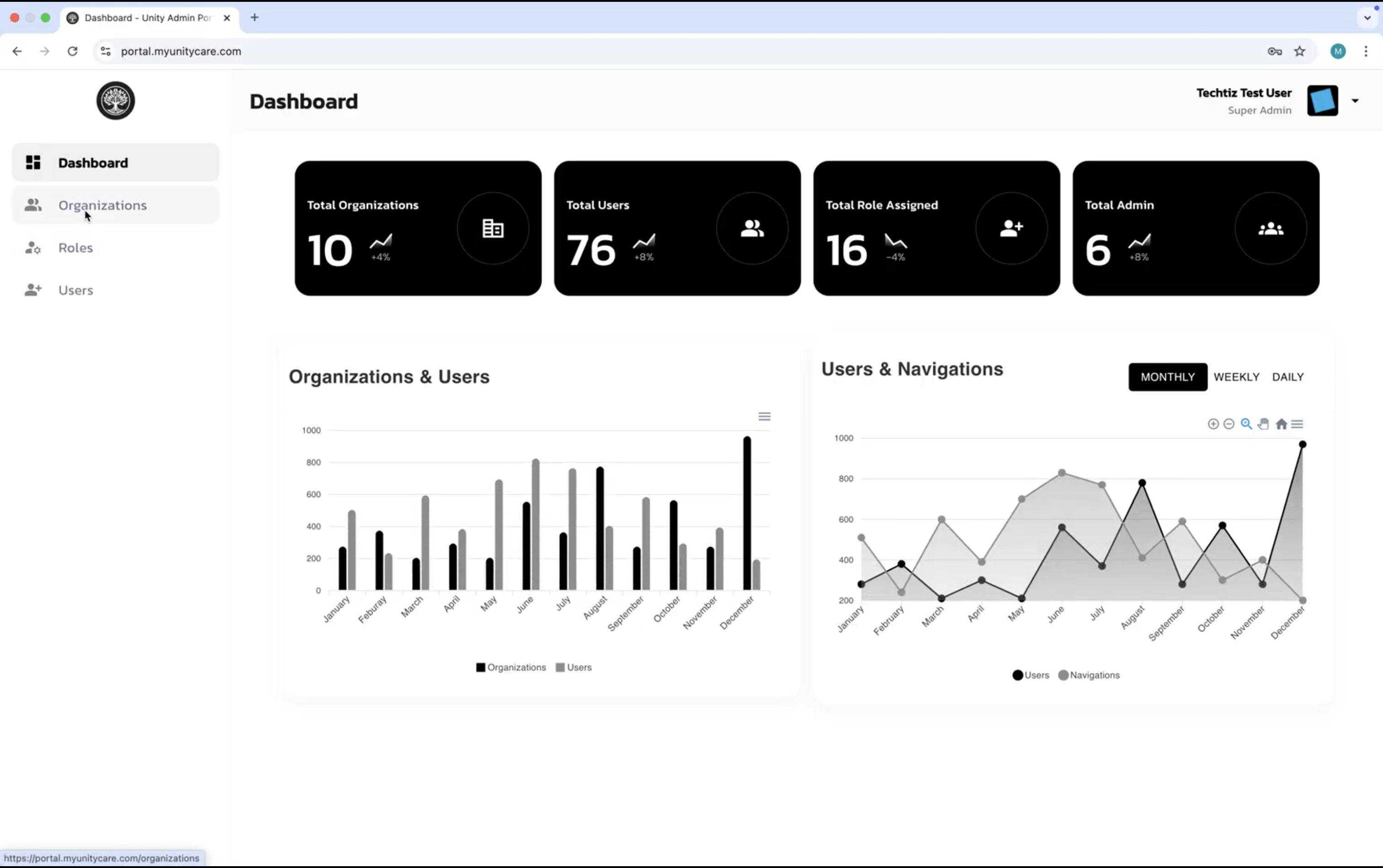
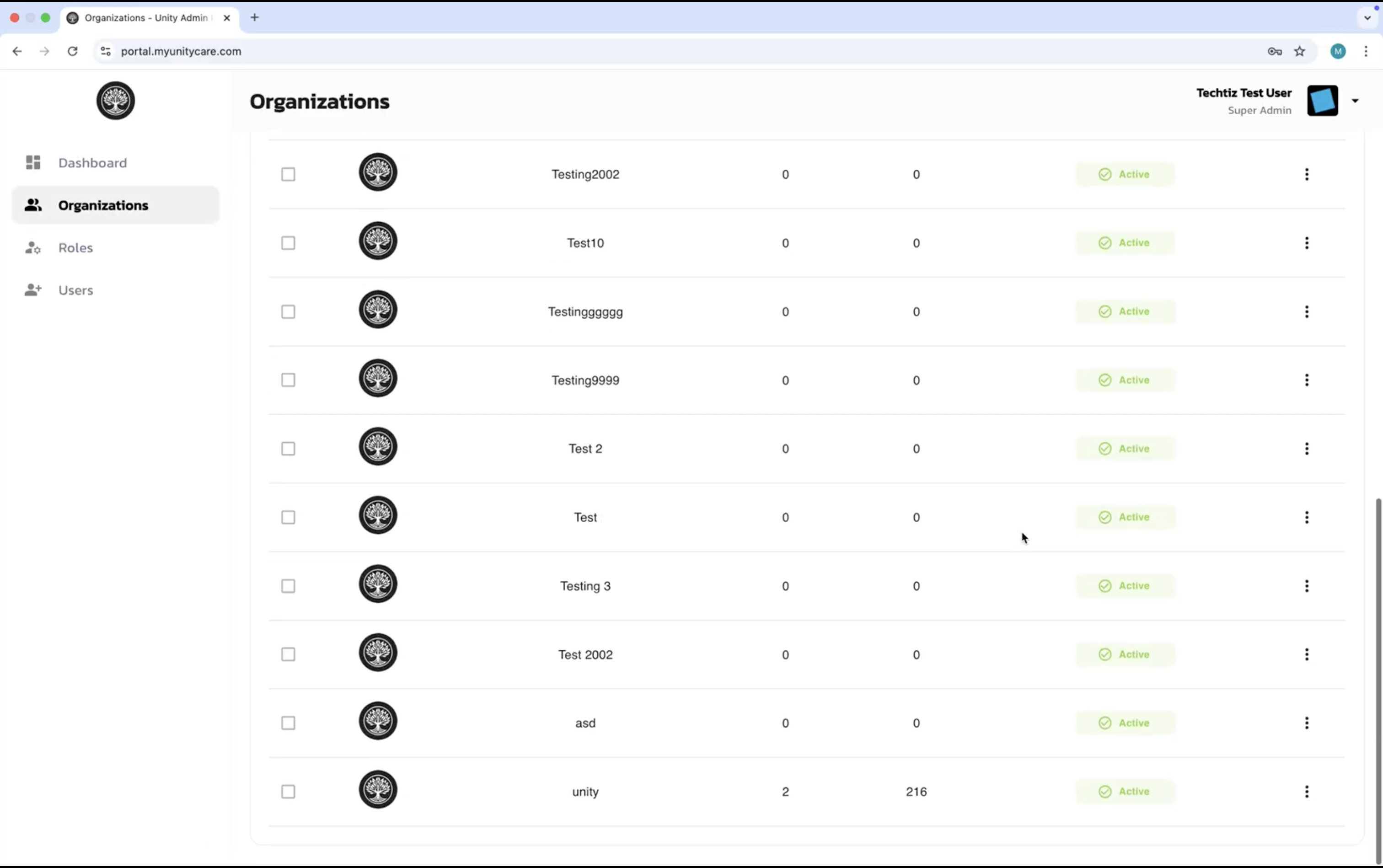
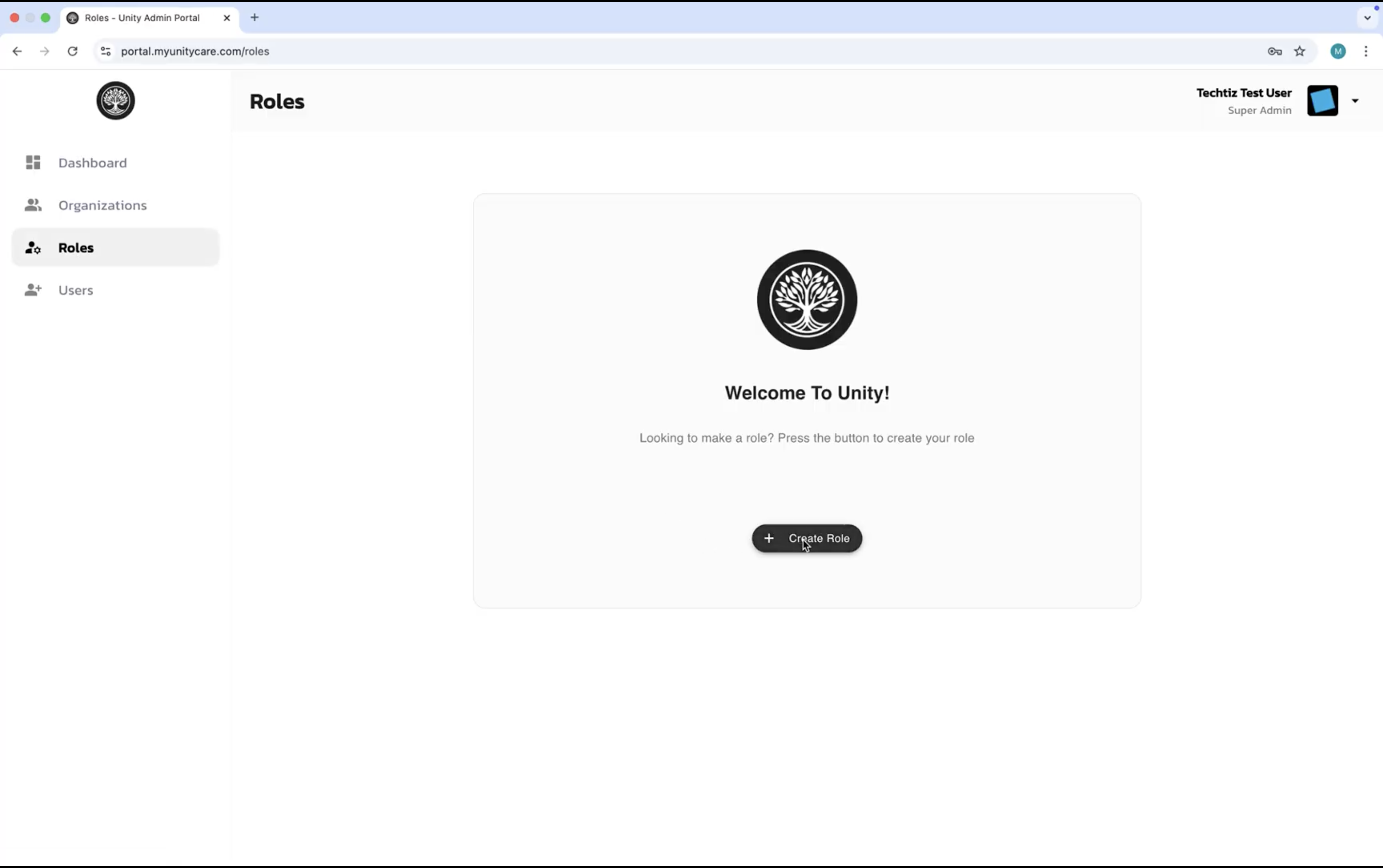
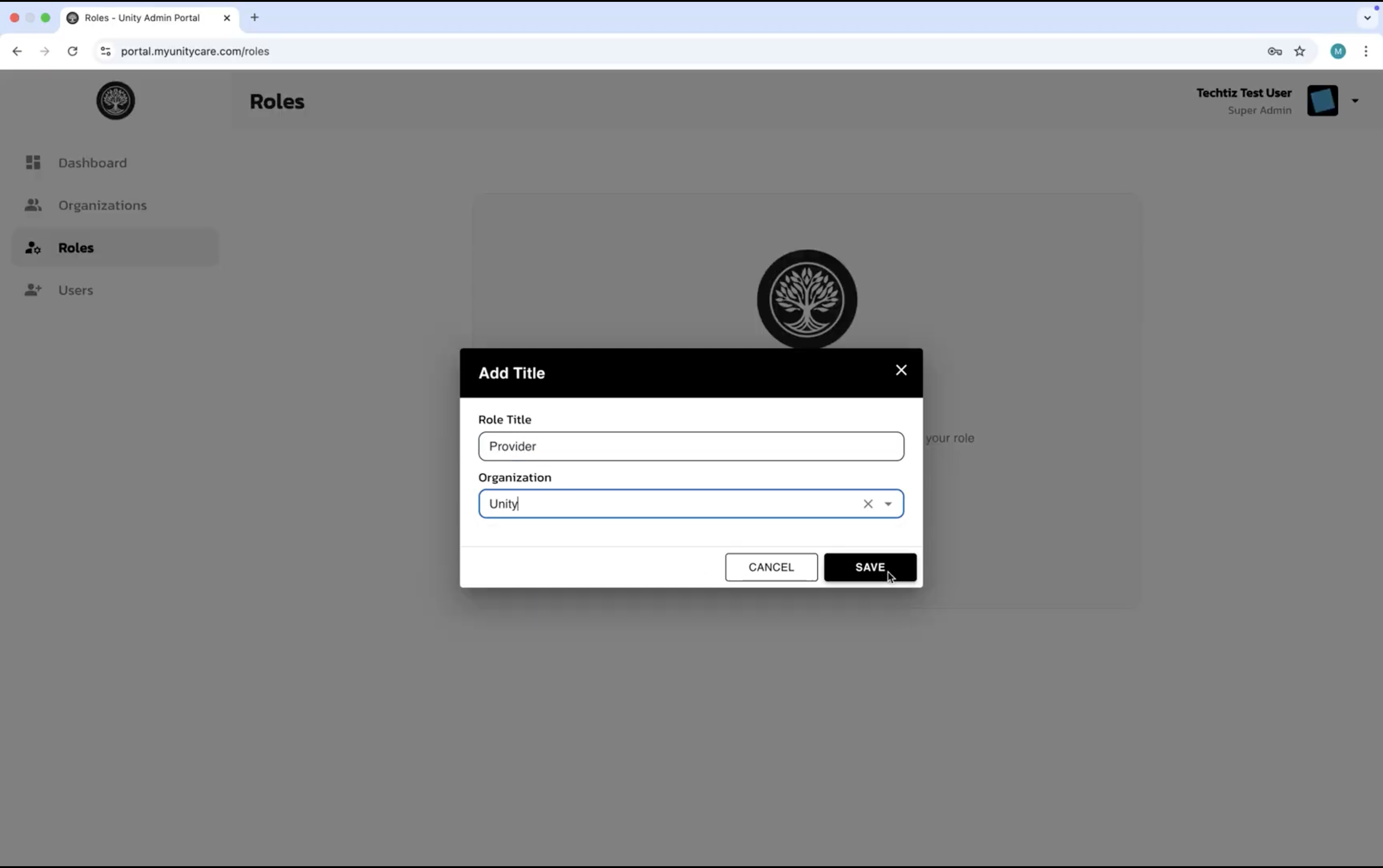
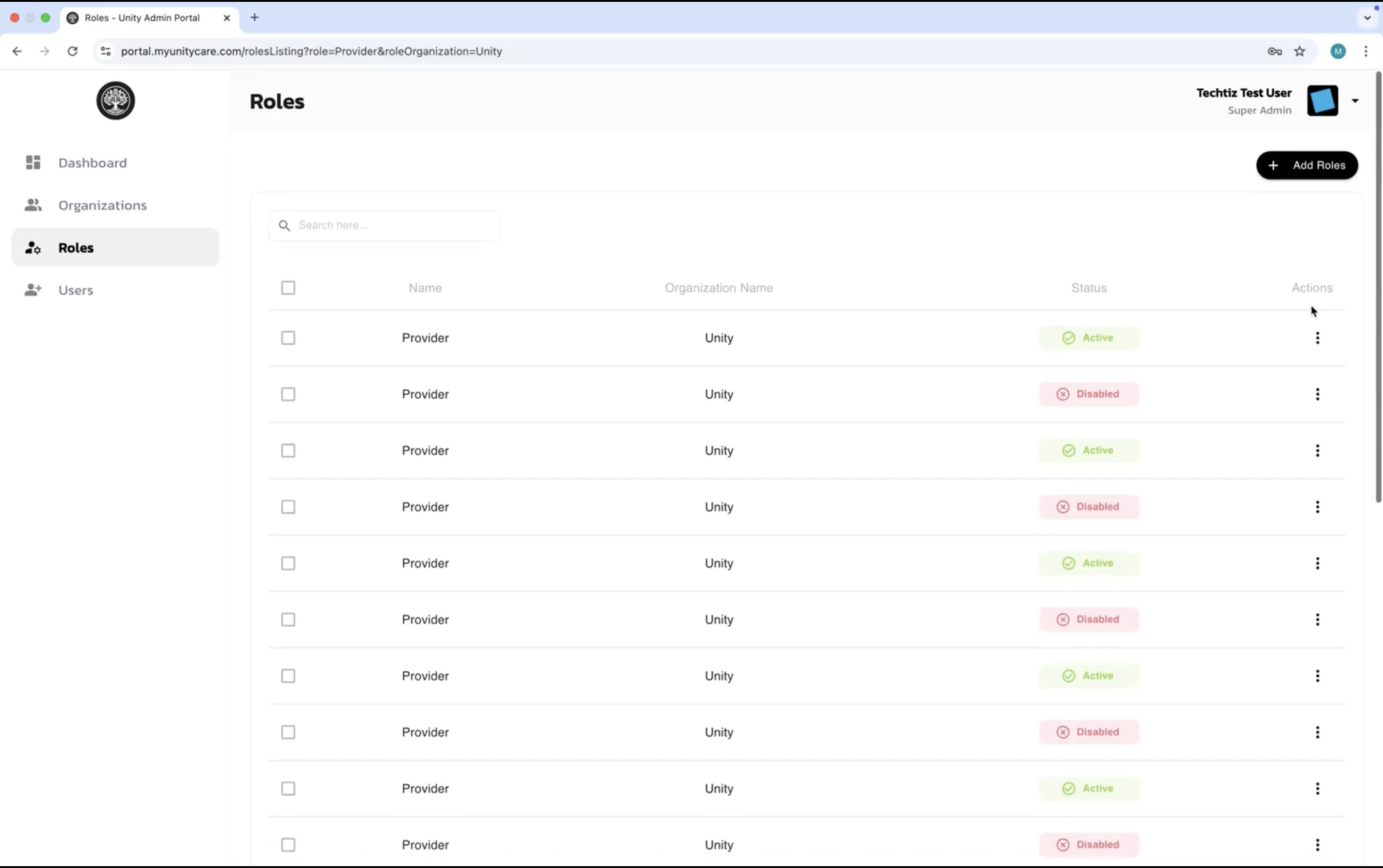
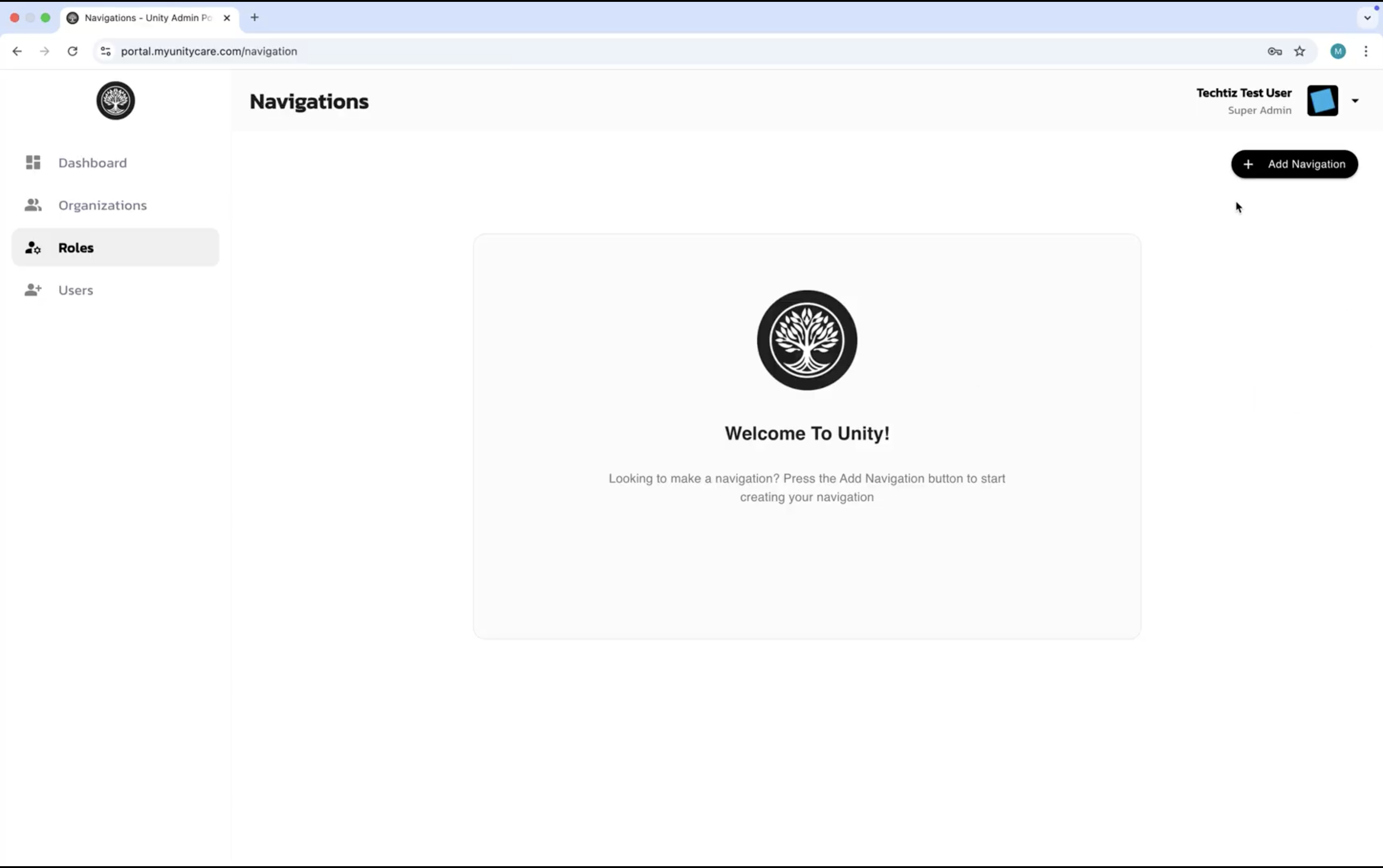
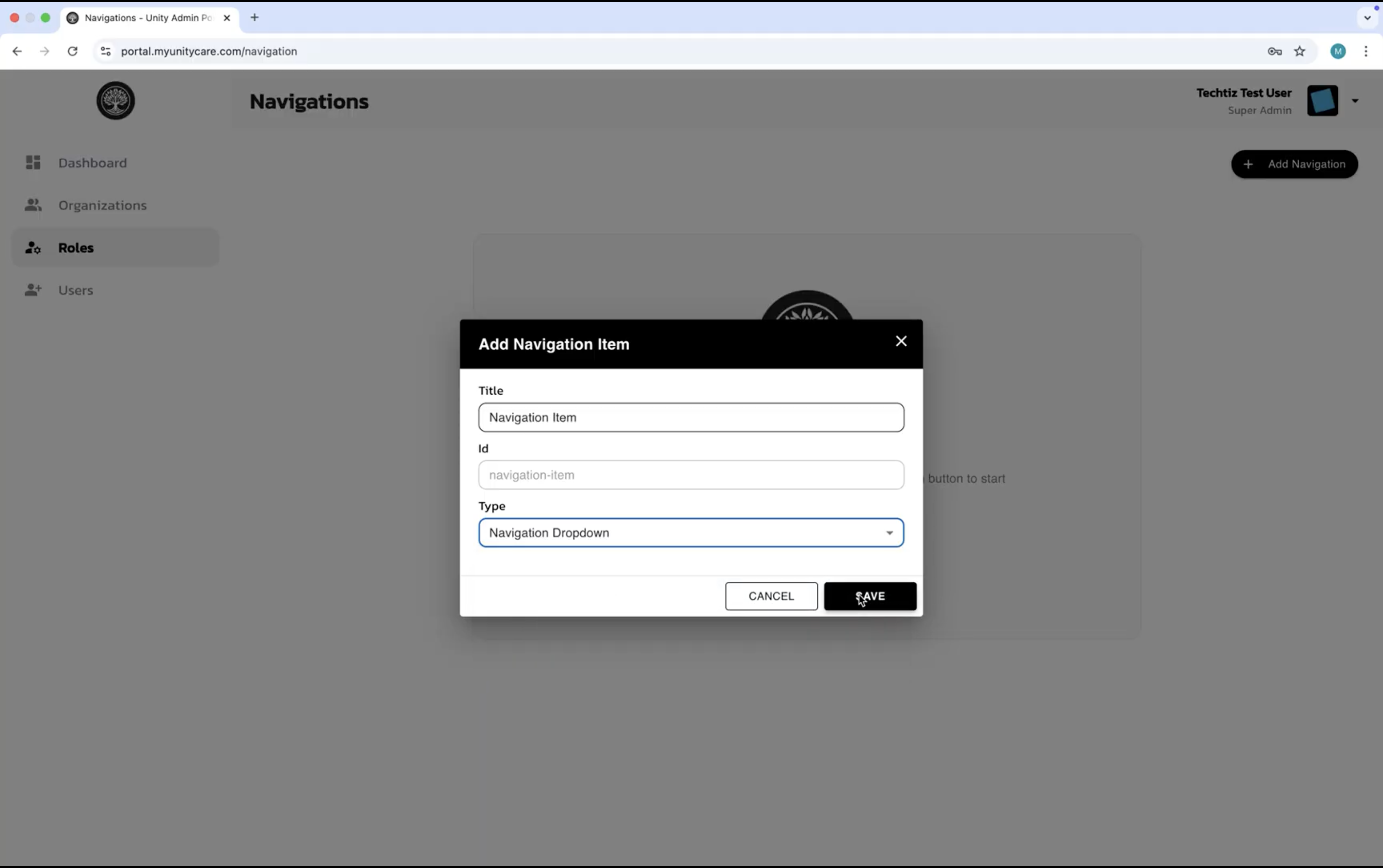
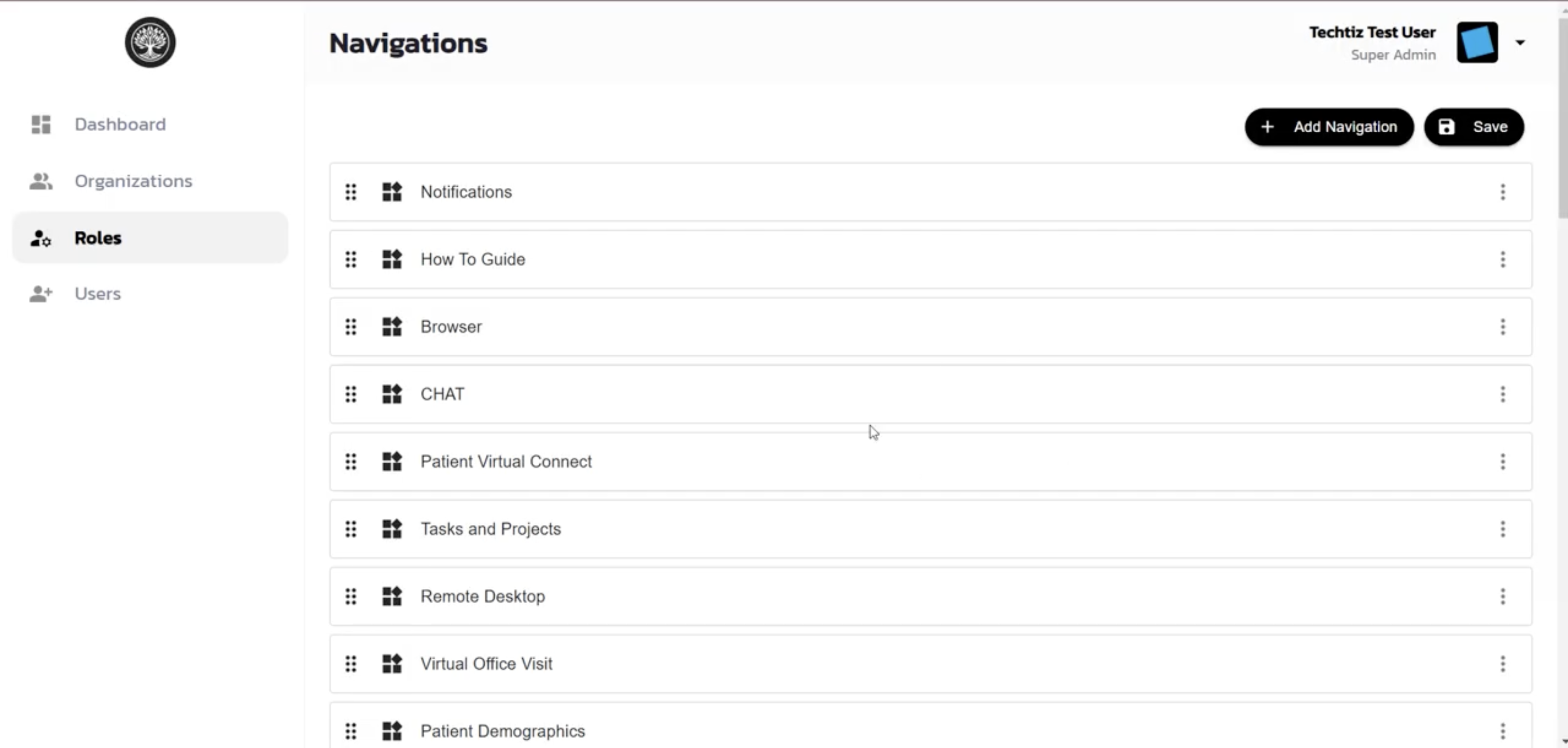
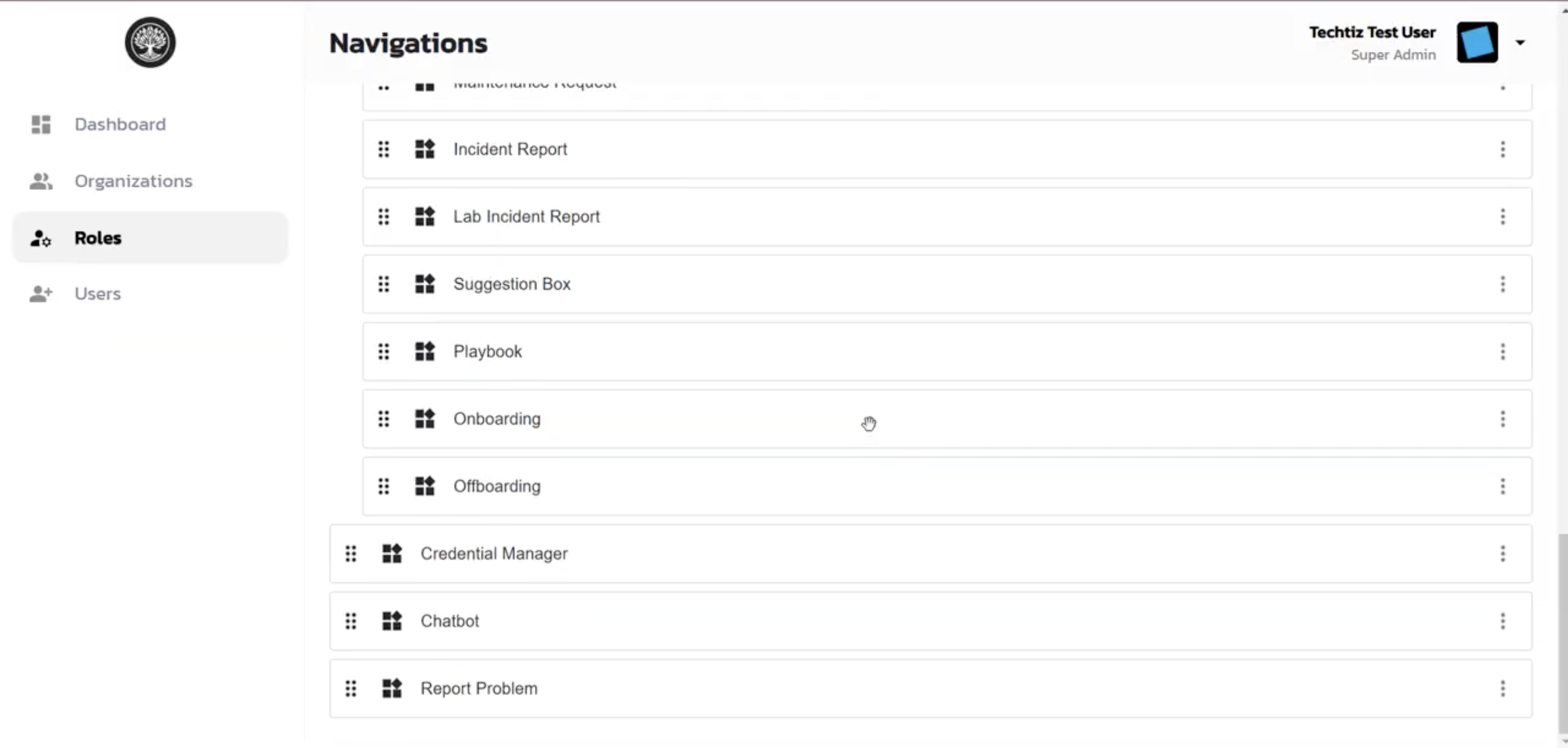
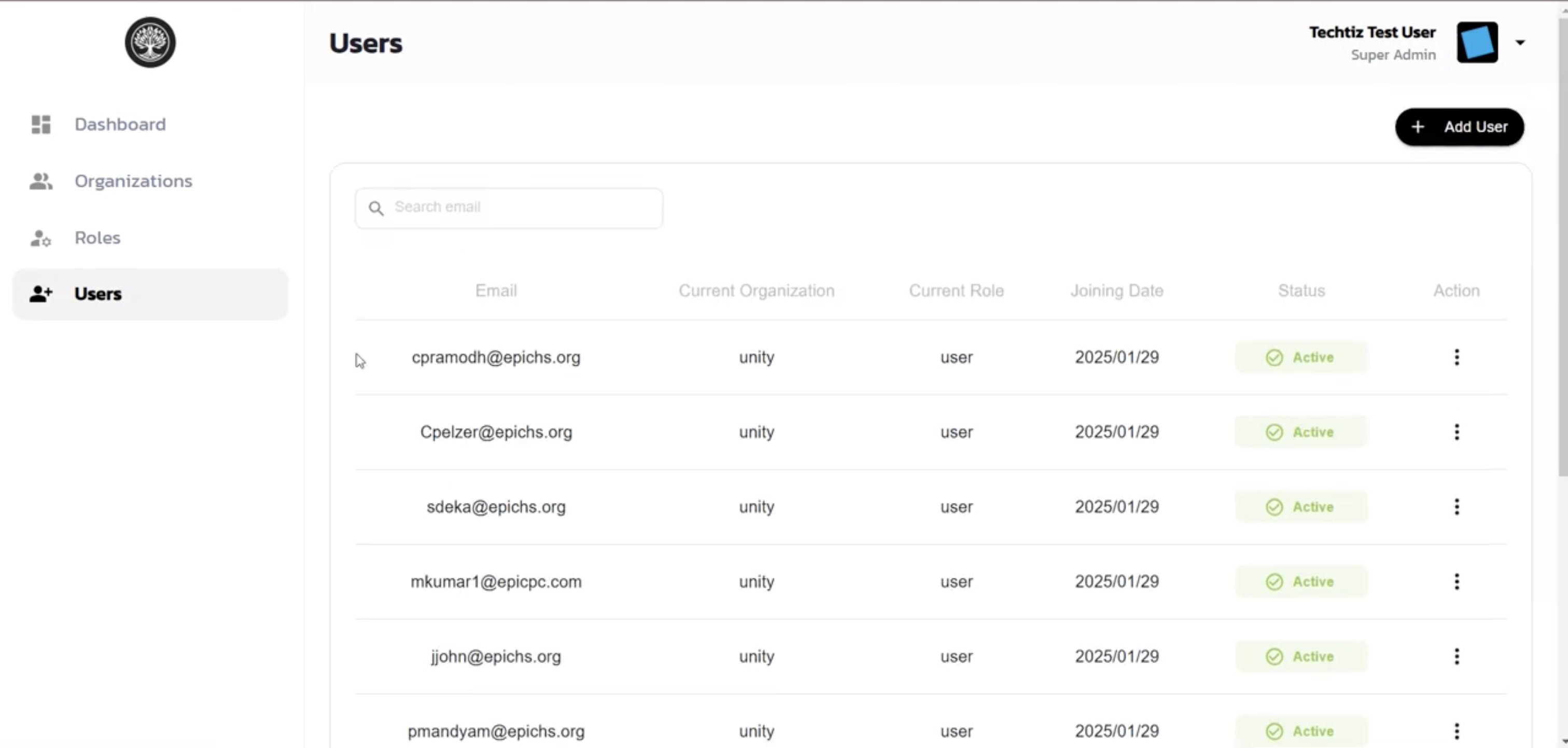
The admin portal is the administrative counterpart: a live dashboard tracks total organisations, users, role assignments, and admins alongside usage charts, and dedicated sections let admins manage organisations, roles, and users, plus drag-and-drop the exact navigation items assigned to each role. Once a role's layout changes, it's fetched from the portal the next time an assigned user logs into the desktop app, and the sidebar is rebuilt dynamically from it — giving oversight staff a secure, centrally-configurable tool and a live admin view spanning dozens of organisations and staff logins.
- Challenge
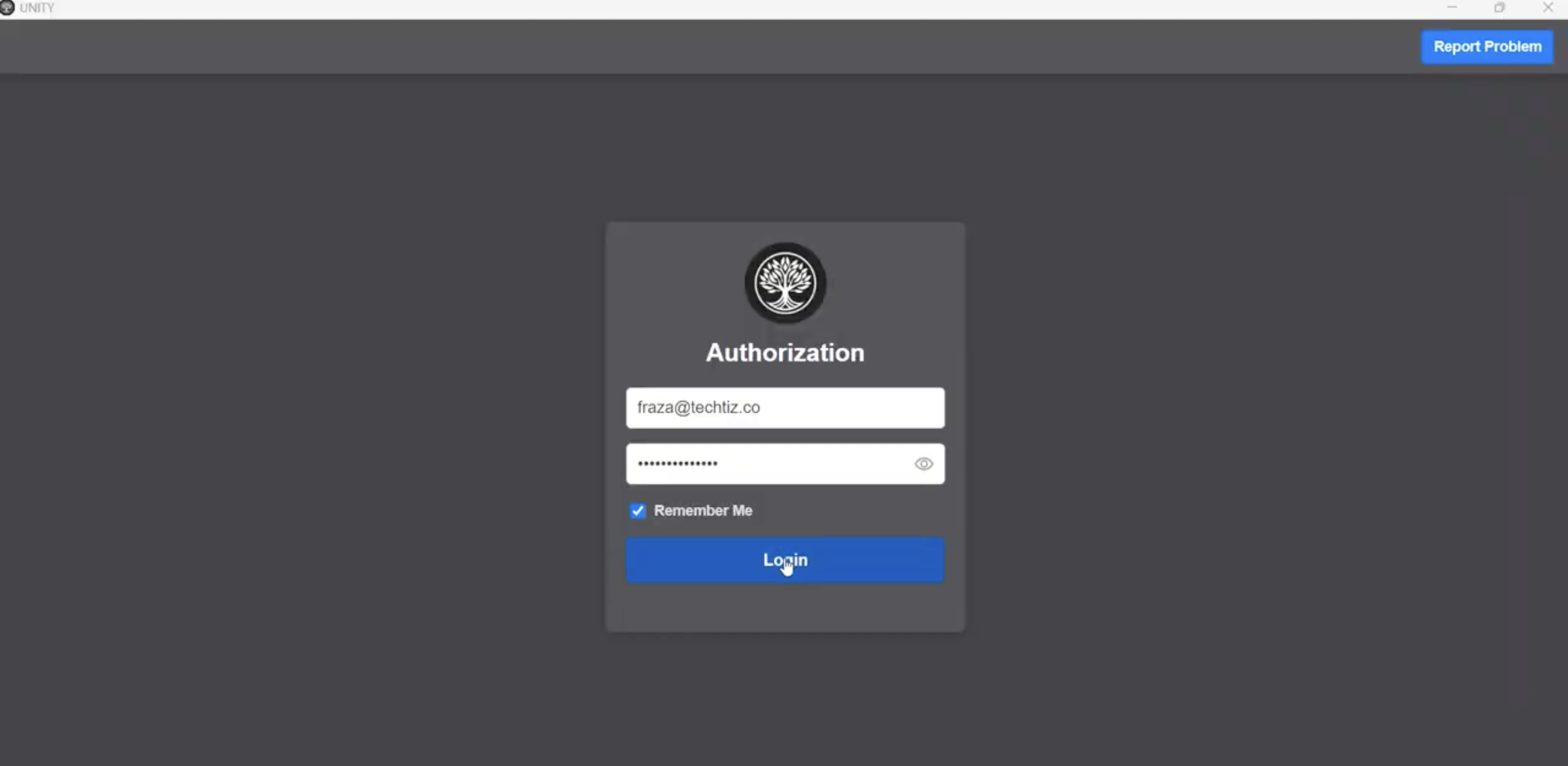
- A healthcare organisation needed a single, role-based desktop workspace that combined web browsing, credential management, notifications, and call/meeting handling — capabilities that were otherwise spread across several disconnected tools, each with its own login and workflow. Staff needed tightly scoped, role-based access rather than a single shared login, and each user needed a personal, secure place to store their own credentials for downstream systems and have them auto-filled into forms rather than typed or copy-pasted by hand, reducing both friction and the risk of exposed credentials. What each role could see, and how their navigation was laid out, needed to be reconfigurable without a new build every time requirements changed, and the organisation needed an admin layer giving oversight staff live visibility into desktop activity across every organisation and user.
- Solution
- Built an Electron desktop app backed by a Nest.js API, structured around a collapsible left-hand menu whose labeled, icon-based items — including expandable dropdown groups like Instant Visit, Tasks and Projects, Ticket Systems, Bookmarks Manager, Credentials Manager, IT HelpDesk, and Patient Virtual Connect — are dynamically fetched and rebuilt per user role at login. Clicking a menu item loads the corresponding page in the main view, which doubles as an embedded browser with a bookmarks manager and script-injected credential auto-fill that replicates the behavior of Chrome's own password manager. Socket-based real-time notifications keep staff current, background timers and alarms alert users when a task completes, and a Patient Virtual Connect call flow rings an incoming contact request that the user can accept or reject. A companion Next.js + Nest.js admin portal is the administrative counterpart: a dashboard shows live stats — total organisations, users, role assignments, and admins, alongside usage charts — and dedicated sections let admins manage organisations, roles, and users, plus drag-and-drop the exact navigation items and dropdown groups assigned to each role. Once a role's layout is saved, it's fetched from the portal the next time an assigned user logs into the desktop app, and the sidebar is rebuilt dynamically from it.
- Impact
- Delivered one unified, role-aware desktop tool whose navigation, permissions, and available features are all built dynamically per user — replacing what would otherwise be several separate applications for browsing, credentials, tasks, tickets, IT requests, and patient calls. Giving each user their own credential vault — store, view, update, and delete, scoped to that user — with script-injected auto-fill removed both the manual overhead and the security risk of staff typing or copy-pasting downstream credentials by hand, and a single admin change to a role's layout propagates automatically into every affected user's desktop app the next time they log in, giving oversight staff a live, centrally-configurable view across dozens of organisations and staff logins without any manual per-user setup.
Frequently Asked Questions
A healthcare organisation needed one desktop workspace that unified browsing, credentials, notifications, and patient call handling — capabilities otherwise spread across several disconnected tools — with an admin layer that could reconfigure each role's navigation without a new build.
UNITY Desktop App & Admin Portal was built with Electron, Next.js, React, Node.js, Nest.js, TypeScript, JavaScript, MUI (Material UI), ApexCharts, Axios, Prisma, PostgreSQL, Socket.IO, JWT, Sentry.
This was built as commercial/client work, so the source code isn't publicly available. Get in touch to discuss the implementation.
A role's navigation — including expandable dropdown groups like Instant Visit, Tasks and Projects, or Patient Virtual Connect — is configured once by an admin in the portal, then fetched and rebuilt dynamically in the desktop app's sidebar the next time an assigned user logs in.
A call-handling flow built into the desktop app: an incoming contact request rings the user, who can accept or reject it directly from UNITY rather than switching to a separate calling tool.
Each user stores, views, updates, and deletes their own credentials for downstream systems in their personal Credentials Manager; UNITY then auto-fills them into forms via script injection in the app's embedded browser, replicating the behavior of Chrome's own password manager without staff typing them by hand.
A live dashboard with total organisations, users, role assignments, and admins alongside usage charts, plus dedicated sections for managing organisations, roles, users, and each role's drag-and-drop navigation configuration.
Yes — socket-based notifications, background timers and alarms that alert on task completion, and the ringing Patient Virtual Connect call flow all update live without a manual refresh.
Available for work
Got a project like this
in mind?
Let's talk about what you're building and how I can help ship it.